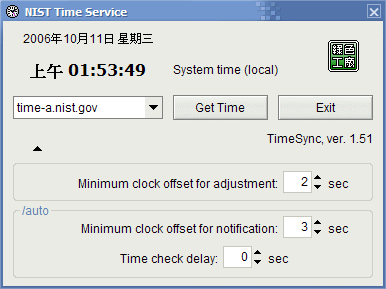
TimeSync gets the current time from a NIST server, and adjusts the PC clock if necessary. It will try alternative servers in case the time cannot be obtained from the first server. You can use the "/auto" parameter to run TimeSync so that it will automatically synchronize the time without user action.
[##_1L|TimeSync V1.51.rar|style="width: 90px; height: 30px; border: 2px outset #796; background-color: #efd; background-repeat: no-repeat; background-position: center center; background-image: url('/image/extension/unknown.gif')"|_##]